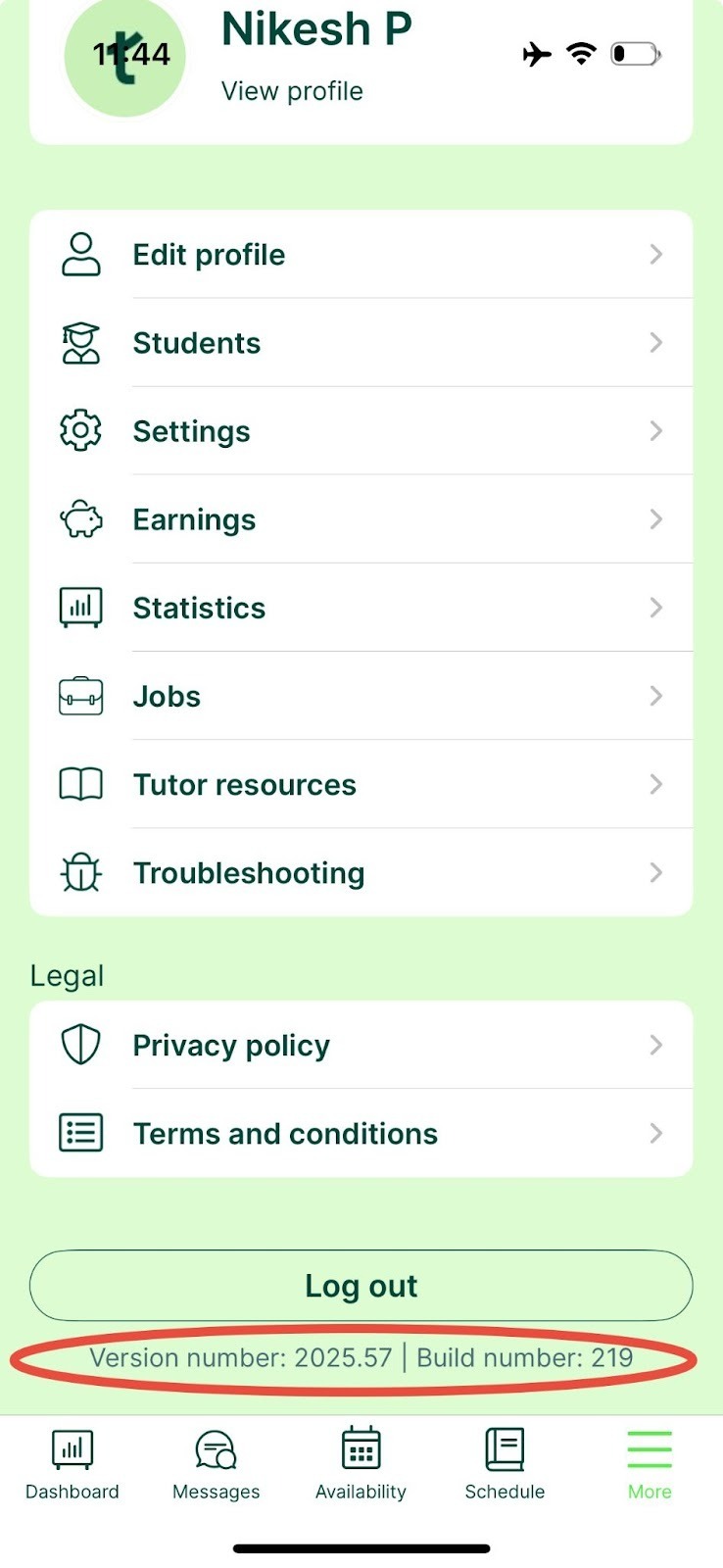
Checking your app version
Go to More in the bottom right of your screen and scroll to the bottom. The app version is at the bottom of that page.
Checking your browser version
We recommend Google Chrome, as it works best with our platform and online classroom. To check your Chrome version:
- Open Chrome.
- Click the three dots (More) in the top-right corner.
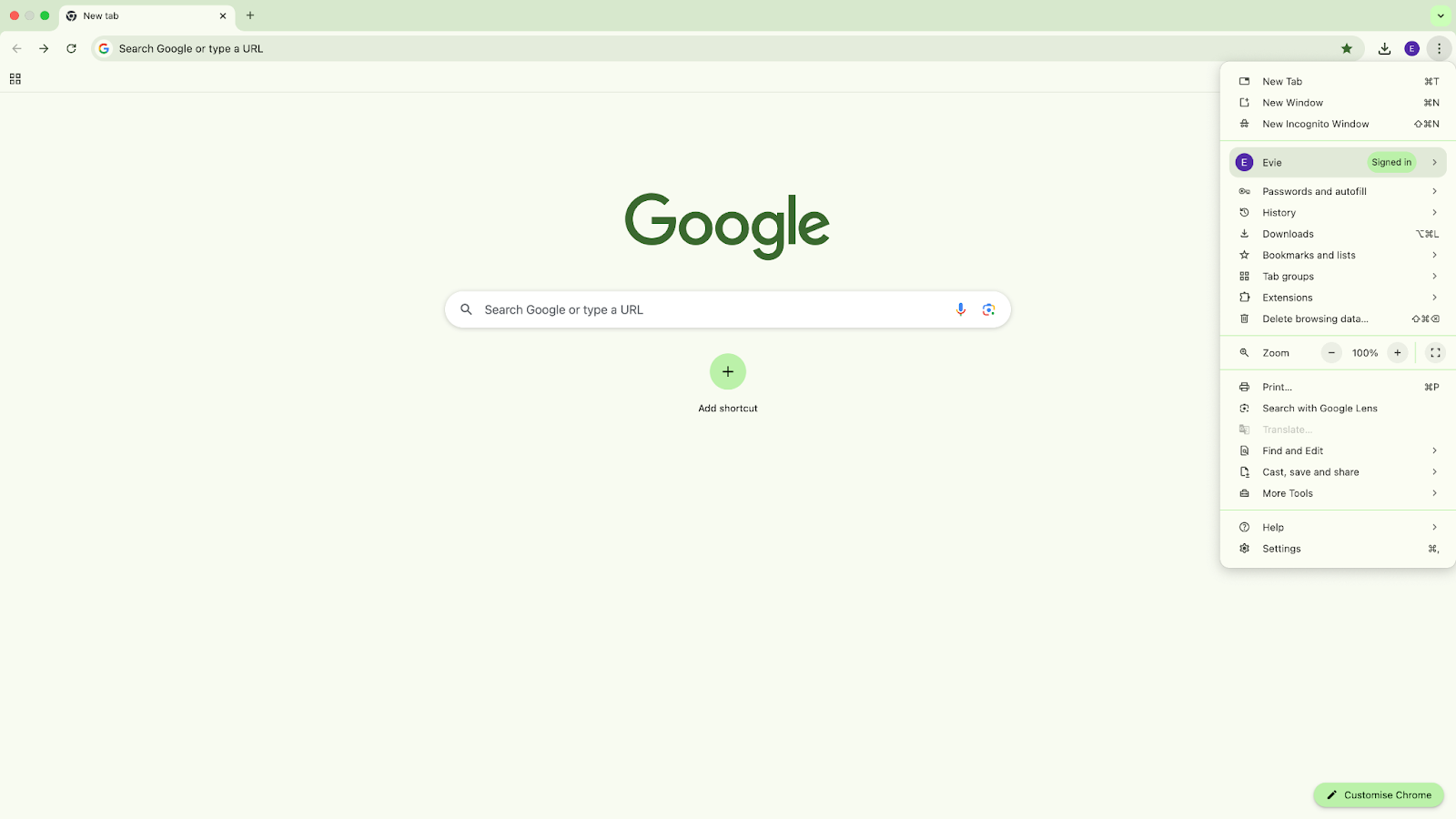
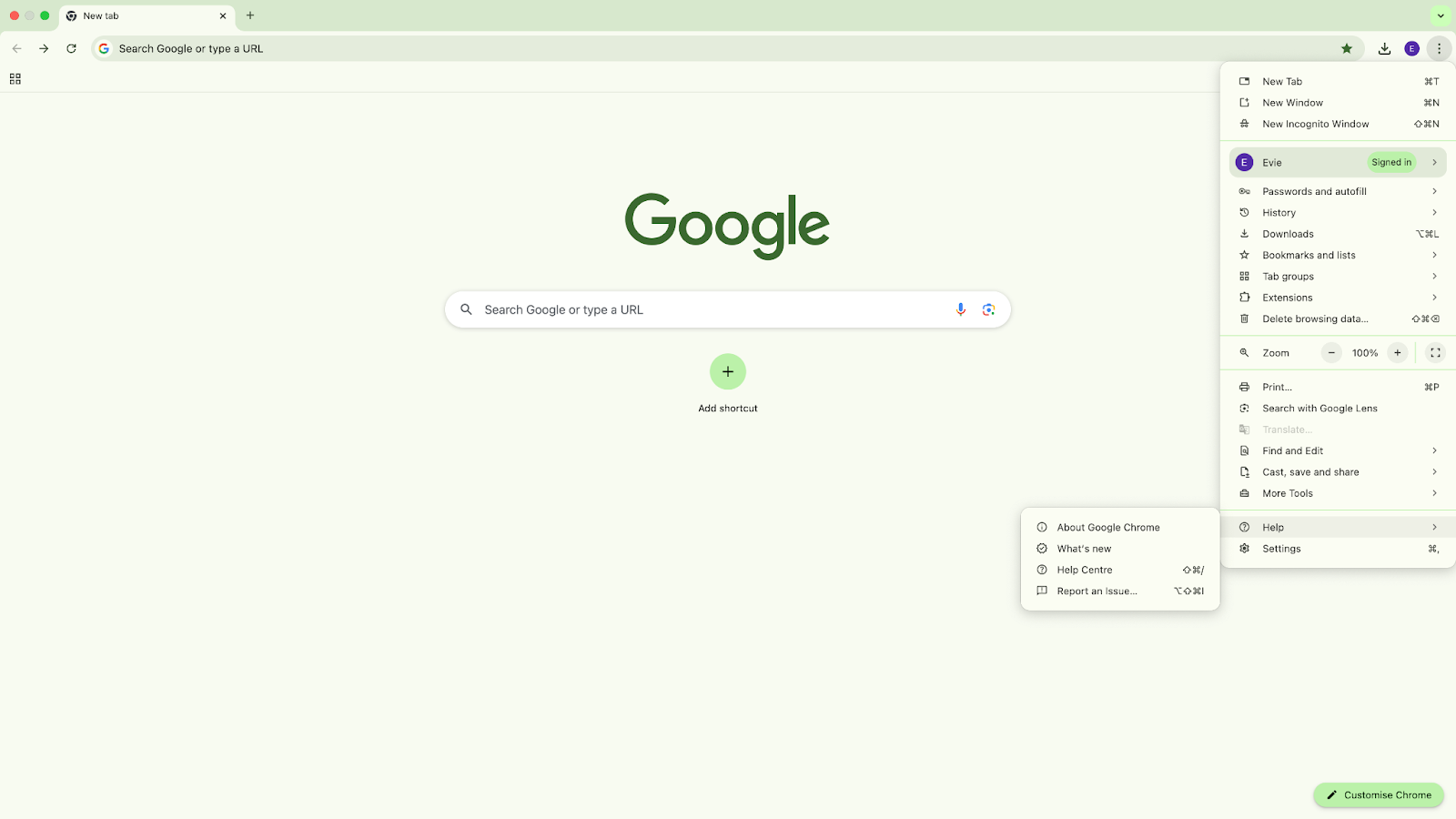
3. Select Help, then About Google Chrome.
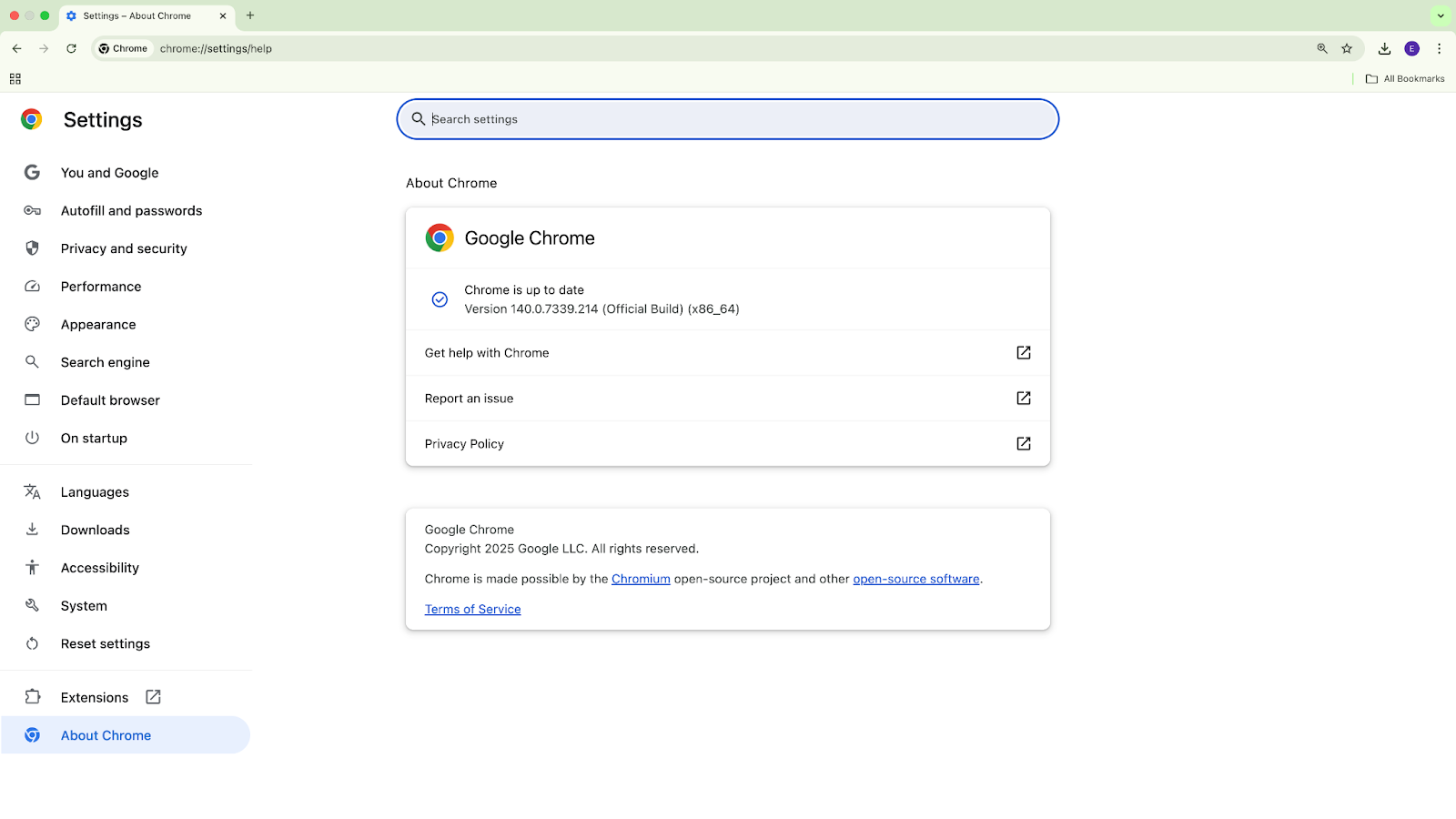
4. Your version is shown in the new tab that opens.